TapeACall: Call Recorder
- 3.6
- Rating
- 1.00M
- Installs
- Free
- Price

 Analysis by App-foxy
Recording a phone conversation sounds simple until I actually need the recording later. I may want to revisit instructions from a client, keep a personal reference during a complicated service call, or share an important conversation with someone who could not join it. TapeACall: Call Recorder is built for that narrow but useful job: capturing incoming and outgoing calls and making the resulting recording easy to share. I found it most valuable when I treated it as a preparation tool rather than something to switch on casually at the last second.
This is a free business app from Mosaic Srl, with optional in-app purchases ranging from $3.99 to $99.99 per item. It is rated for Everyone, which makes the presentation approachable, although the responsibility around recording another person is still very real. The app has passed one million installs, carries an average rating of 3.6 from roughly six thousand ratings, and currently sits at version 5.0.7. Those figures suggest a widely used utility, but also one with enough mixed feedback that I would test it with a low-stakes call before trusting it for something critical.
Where the network becomes part of the experience
The most important thing to understand is that a call recorder is not just a microphone with a large button. The call itself, the phone’s call-handling behavior, and the app’s recording workflow all have to cooperate. In my experience, that makes connectivity an important part of planning. If I am about to speak with a company, a customer, or a colleague, I do not want to discover during the conversation that the phone connection is unstable or that I have not prepared the recording process properly.
You May Also Like

 Blood Strike: 2.5 Anniversary
Blood Strike’s Loadouts Turn Every Drop Into a Tactical Gamble
A close look at Blood Strike’s custom loadouts: how fast access to signature weapons reshapes its battle royale rhythm, rewards preparation, and narrows the gap between fights.

 Pandora - Music & Podcasts
Pandora’s Music Is Easy to Start, but Harder to Recover
Pandora’s strength is its low-effort path from a seed to a station. Its weak spot is how much confidence it asks you to place in connection, setup, and quiet recovery.

 8 Ball Pool
 Is Built on Rivalries, Rematches, and Routine
A close look at the rivalries, rematches, shared routines, and unanswered safety questions that turn a quick pool match into a persistent mobile community.

 Samsung Music
’s Quiet Strength Is Playing What You Already Own
Its reach comes less from spectacle than from dependable access to a personal library. That simplicity is both the app’s strongest retention engine and its ceiling.

 AccuWeather: Weather Radar
AccuWeather Review: A Quick, Clear Forecast for Everyday Decisions
For everyday plans, the best forecast is the one you can understand quickly. AccuWeather makes rain timing, radar, and local conditions easy to act on, with a few trade-offs.

 Hill Climb Racing
Why Hill Climb Racing Still Turns Crashes Into One More Run
A tiny car, a bumpy hill and one more upgrade: Hill Climb Racing keeps resurfacing because its simple chaos makes every near-miss feel personal.
More From Our News Desk



TapeACall is especially suited to conversations where I can pause for a moment before dialing. That small pause lets me open the app, think about the purpose of the recording, and make sure I know how I will save or share it afterward. For an incoming call, the challenge is different because the conversation may arrive unexpectedly. I would not rely on it blindly for an urgent call without having already explored the controls and practiced the sequence.
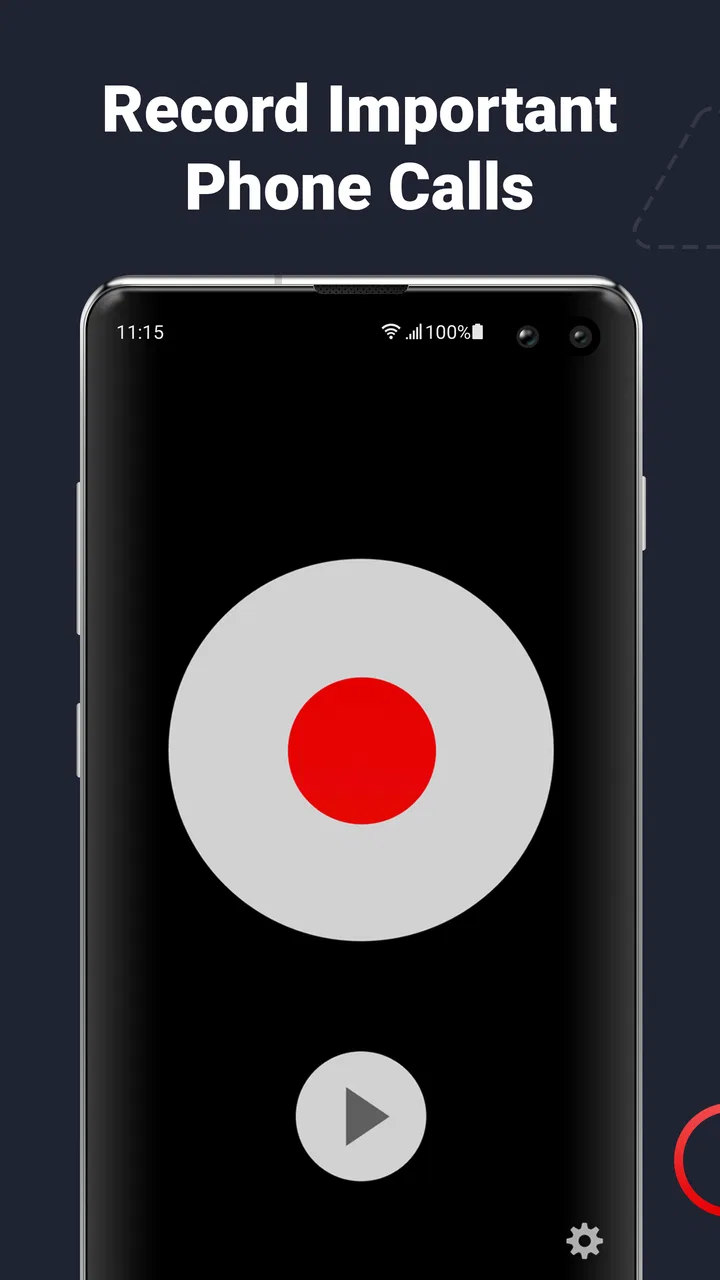
The app’s central appeal is the recording workflow, not a large collection of business tools. Once a recording exists, sharing is the practical payoff. I can imagine sending a conversation to a teammate, keeping a reference for a project, or moving it into a place where it is easier to review. That is more useful than simply having an audio file trapped inside an app, particularly when the recording contains details I need to compare with notes later.
Connectivity also affects the moment after the call. If I need to share a recording immediately, I prefer to be on a dependable mobile or Wi-Fi connection. I would not describe that as a promise that every part of the app requires a network connection; rather, it is a sensible part of the workflow whenever I need to move a recording elsewhere. If the connection is poor, I would finish the call first, check that the recording is present, and share it later instead of adding pressure to an already important conversation.
Preparing before an outgoing call
Outgoing calls are the easier use case because they give me control over timing. Before dialing, I can decide whether the conversation genuinely needs to be recorded, tell the other person where appropriate, and keep the app ready. This is where TapeACall feels more practical than a vague promise of “record anything”: the value comes from building a repeatable routine around a particular call.
My preferred routine would be to create a clear reason for the recording, start the process before the discussion becomes complicated, and avoid assuming that the first attempt worked merely because I tapped a control. After the call, I would listen to the beginning and a later section if the conversation matters. That quick check can catch a silent or incomplete result before I delete notes, close a support case, or tell someone else that the recording is safe.
There is also a useful distinction between recording for memory and recording for evidence. For memory, a slightly inconvenient workflow may be acceptable if it helps me revisit instructions. For evidence, contracts, disputes, medical details, or financial matters, I would want a more formal process, careful consent, and a backup plan. A consumer call recorder can be convenient without being the right sole record for a high-consequence situation.
Handling unexpected incoming calls
Incoming calls reveal the app’s biggest practical challenge. I cannot always predict when a conversation will begin, and I may not have time to think through the recording steps. That makes prior familiarity more important than any individual feature. I would practice with a harmless call, learn where the recording appears, and decide in advance how I will identify it afterward.
A realistic example is a delivery problem. I receive a call from a service department, and the representative gives me a case reference, a replacement date, and a condition attached to the resolution. I could take notes, but notes are easy to get wrong while listening. With a prepared recording workflow, I have a better chance of reviewing the exact wording later and sharing the relevant portion with a family member who is helping me manage the issue.
That same scenario shows why I would not start recording secretly or casually. The other person may have legal or personal expectations about being recorded, and rules vary by location. I would explain what I am doing when required and stop if the circumstances make recording inappropriate. The Everyone age rating describes the app’s general accessibility, not permission to record every conversation.
Using it in everyday mobile situations
On a phone, convenience matters because the app competes with the normal call interface, notifications, poor reception, and the simple distraction of being somewhere else. I found the concept most appealing for people who already handle calls as part of their work: freelancers confirming project details, small business owners speaking with suppliers, or people managing appointments and service requests. The recording can act as a second memory when writing everything down would interrupt the conversation.
It is less compelling for someone who only wants an occasional voice memo. A standard audio recorder is simpler for recording a personal note, and it avoids the special complications of a live phone call. TapeACall earns its place when the other person is on the line and the conversation itself is what needs to be preserved.
For mobile workers, the sharing function can be more useful than the recording button. Imagine a contractor receiving a customer’s description of a repair, then needing to pass the details to a colleague. Instead of reconstructing the call from memory, the contractor can share the recording through the available phone workflow. I would still add a short written summary, because a recording is slower to scan than a few clear bullet points and may contain private information that the recipient does not need.
That leads to one of my main practical tips: name or organize recordings immediately while the context is fresh. A file called “call” is not helpful a week later. I would use a recognizable label based on the person, project, or purpose, then remove recordings that no longer serve a legitimate need. The app’s sharing focus makes this kind of housekeeping especially important; sending a file is easy, but tracking where it went is my responsibility.
What happens when a call does not go smoothly
No recording workflow should be treated as infallible. A weak signal, an interrupted call, an unexpected screen change, or a mistaken tap can create uncertainty. My response would be to verify the result rather than trusting the interface. Open the recording, check that it has a sensible length, listen to a portion near the start and another near the end, and only then consider the job complete.
If a recording is missing or unusable, I would write down everything I still remember immediately. That recovery habit matters because the app cannot recreate a conversation that was never captured properly. For important calls, I would also send a follow-up message summarizing the agreed points. A written confirmation can protect against misunderstandings even when the recording works, and it gives me a separate reference if the audio becomes difficult to locate.
Another recovery situation involves sharing. If I cannot send a recording right away, I would keep the original in place, note the intended recipient, and try again when the connection is better. I would avoid repeatedly creating new copies without checking which one is complete. Duplicate files make it harder to know which version is trustworthy and can increase the chance of sharing the wrong conversation.
These habits are not glamorous, but they are where the app becomes dependable. The store summary emphasizes recording incoming and outgoing calls and sharing them easily. In real use, “easy” depends on preparation, verification, and sensible file handling. That is not a criticism unique to this app; it is the trade-off of turning a live conversation into something I expect to retrieve later.
Being careful with mobile data and privacy
Because recordings can be large and sensitive, I would use a data-conscious routine. I would avoid sharing a long recording over mobile data unless it was necessary, especially when I am away from a reliable Wi-Fi connection. If the purpose is simply to communicate one detail, I might send a short written summary instead of the entire audio. If the full conversation matters, I would wait until the connection is suitable and confirm the recipient before sending.
Privacy is just as important as bandwidth. A call may include account numbers, addresses, personal stories, or information about someone who never expected their voice to be forwarded. Before sharing, I would listen for sections that the recipient does not need and consider whether a narrower explanation would do the job. The app makes sharing a recording part of its appeal, but convenient sharing should not become automatic sharing.
I would also think about retention. Keeping every recording forever creates a messy archive and increases the consequences of losing control of the phone or account. A simple schedule helps: review recordings after the related task is finished, keep only those with a continuing purpose, and delete the rest. For work, I would follow the organization’s storage rules rather than treating the phone as a permanent document system.
People who expect strong privacy controls, formal compliance tools, or a detailed business archive may find a dedicated enterprise call-recording solution more suitable. TapeACall is attractive for direct, personal workflows, but I would not automatically place it at the center of a regulated organization’s record-keeping process. The right choice depends on how sensitive the calls are and how much control the workplace requires.
Who should use it, and who should choose another route?
I would recommend TapeACall to someone who regularly needs to revisit phone conversations and is willing to prepare before important calls. It makes sense for independent professionals, people coordinating complicated household matters, and anyone who finds handwritten notes too slow or incomplete. The ability to share a recording gives it a practical edge over simply keeping a private audio file.
I would be more cautious about recommending it to a person who expects one-tap recording of every unexpected call with no learning curve. Incoming calls can arrive at the worst possible moment, and any call-recording workflow deserves a practice run. I would also steer away from it as the only safeguard for legal, financial, or highly confidential conversations. In those cases, consent, written confirmation, secure storage, and organizational policy matter as much as the app.
Compared with taking notes, the app preserves the actual wording and tone, which is useful when details are easy to misremember. Compared with a regular voice recorder, it is aimed at the phone conversation itself rather than a note I record alone. Compared with a full business communications platform, it is more focused and likely easier to approach, but it does not replace the broader controls and documentation processes that a larger team may need.
The free entry point lowers the barrier to trying it, while the optional purchases mean I would examine the in-app choices carefully before committing to a long-term workflow. I would first test the basic experience with a nonessential call, confirm that the result is usable on my phone, and only then decide whether the paid options justify their cost. That approach is more sensible than buying first and discovering that my particular calling habits do not fit the app.
My connectivity verdict
Connectivity shapes TapeACall in three places: preparing for a call, completing the recording workflow, and sharing the result. A stable connection makes the experience less stressful, but the bigger lesson is that the app rewards planning. I would not wait until a sensitive conversation is already underway to learn how it behaves. I would practice, explain the recording when appropriate, verify the file, and share only what the recipient genuinely needs.
After using it as a focused business utility, I see a clear reason to keep it available: it can turn a difficult-to-remember phone conversation into a reference I can review and pass along. Its limitations are equally clear. It is not a substitute for consent, written notes, secure business records, or a recovery plan when a call fails. Those boundaries keep the recommendation honest.
For me, the app is worth considering if phone conversations are a regular source of instructions, decisions, or follow-up work. I would skip it if I only need occasional personal audio notes or if my organization requires a more controlled communications system. For the right mobile user, however, TapeACall offers a practical middle ground: more faithful than hurried notes, more targeted than a general recorder, and useful precisely when I prepare before pressing the call button.
FAQs for TapeACall: Call Recorder
01How does TapeACall work on my smartphone?
TapeACall enables you to record incoming and outgoing calls on your smartphone by merging calls through a three-way conference. This process involves calling the TapeACall service, then the person you wish to record, and merging the calls, allowing the app to capture the conversation seamlessly.
02Is TapeACall legal to use for recording calls?
The legality of recording calls varies by location and jurisdiction. TapeACall advises users to familiarize themselves with local laws regarding call recording. In many places, it’s required to notify all parties involved in the call that they are being recorded to ensure compliance with legal standards.
03Can TapeACall record calls automatically?
TapeACall does not offer an automatic call recording feature. Users must manually initiate the recording by starting a three-way call with the TapeACall service. This process ensures that users have control over which calls they choose to record, maintaining privacy and discretion.
04Are there any limitations on the length of call recordings?
TapeACall offers unlimited call recording length for paid subscribers, allowing users to capture lengthy conversations without interruption. However, free versions may have limitations or restrictions, so it’s important to review the subscription details to ensure they meet your needs.
05How secure are the recordings stored by TapeACall?
TapeACall stores recordings securely in the cloud, accessible only to the user. Recordings can be downloaded, shared, or deleted as desired. The app prioritizes user privacy, ensuring that only authorized individuals can access the stored files, maintaining confidentiality and security.
Pros
- Simple interface for easy navigation.
- Unlimited call recording length.
- High-quality audio recordings.
- Compatible with both incoming and outgoing calls.
- Seamless integration with cloud services.
Cons
- Subscription required for full features.
- No transcription service available.
- Requires merging calls to record.
- Not available in all countries.
- Limited customer support options.

TapeACall: Call Recorder
Gallery